














 Promogator Signs
UV DTF


 Billed after shipment
Set delivery location for shipping & tax

Promogator now offers Buy Now, Pay Later
Split your order into 4 interest-free payments — no extra cost.
How it works
- 1 Pick Klarna or Afterpay at checkout.
- 2 Get approved in seconds — soft credit check only, no impact to your score.
- 3 Pay 25% today, then 3 automatic payments every 2 weeks. No interest if paid on time.
- 4 Your order ships right away — you don't wait for the last payment.
Klarna vs. Afterpay
| Klarna | Afterpay | |
|---|---|---|
| Payment plan | Pay in 4 | Pay in 4 |
| Frequency | Every 2 weeks | Every 2 weeks |
| Interest | 0% | 0% |
| Credit score impact | None for Pay in 4 | None for Pay in 4 |
| Late fee | Up to $7 | Up to $8 |
| Order range | $10 – $1,000+ | $1 – $2,000 |
| Also offers | Pay-in-30 & longer-term financing | Pay Monthly on larger orders |
Both options are interest-free when you pay on time. Approval is subject to Klarna's and Afterpay's terms.
No need to call or email.
Click Save as Estimate and we'll snapshot the exact options you've configured on this page — quantity, color, imprint method, location, and colors — into an estimate saved to your account. Open it any time from My Account → Estimates.
Shipping
Printed & Shipped by
How We Customize Your UV DTF
Your logo, your way — here's exactly how we make it happen.
Decoration Method
Setup & Pricing
Artwork Requirements
✓ Preferred
AI · EPS · SVG · PDF
Vector — scales to any size
Also Accepted
PNG · JPG · TIFF
Min 300 DPI at print size
Color mode: CMYK or PMS for best color accuracy
Max file size: 25 MB per file
Not sure? Send what you have — our art team reviews every file free.
Logo Colors
+$/pc × extra colors
Free Digital Proof
We send a preview before we print. No surprises.
Unlimited Revisions
We'll revise until you're 100% happy.
PMS Color Matching
Exact brand colors, every time.
Satisfaction Guarantee
We make it right or we reprint.
How It Works
Order Online
Pick your product, color, and quantity in minutes
Upload Artwork
Any format works — our art team handles the rest
Approve the Proof
Review a digital mockup before production starts
We Ship to You
Printed in-house, shipped straight to your door
Product Specifications
| SKU | 231 |
| Brand | Promogator Signs |
| Category | DTF and UV DTF |
| Dimensions | 10" × 10" × 10" |
| Item Weight | 10.00 lb |
| Minimum Order | 1 units |
| Decoration Method | Sublimation |
| Max Imprint Size | 3" x 2" |
| Production Time | 2 business days |
| Ships From | US |
Packaging
Shipping Options
Available on orders up to
30
units
LTL
Quoted on orders over
30
units
Description
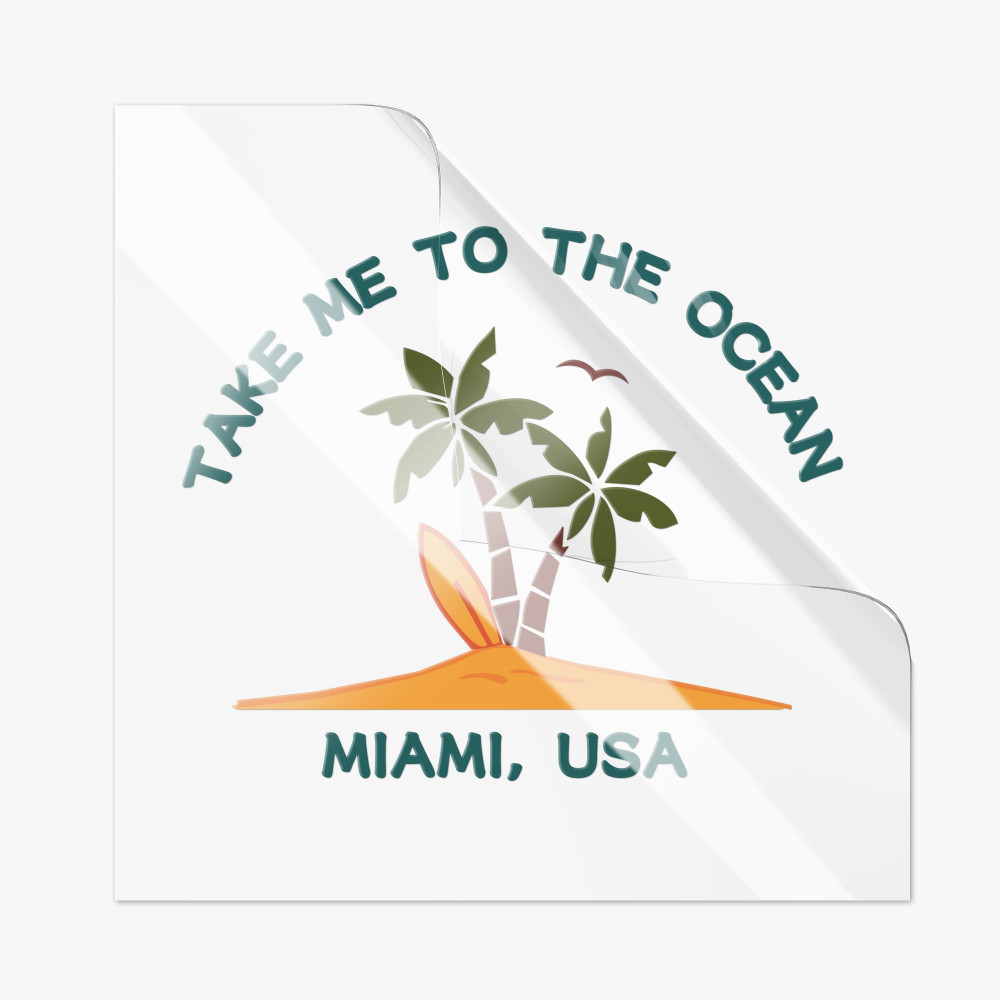
The latest in UV DTF technology unlocks your ability to offer 1000s of customized products. Popular for use on mugs, coasters, awards and much much more. These DTF printed decals are vibrant and durable with excellent adhesion. Peel and stick application is done in no time at all. Ink creates textured raised surface compared to dye sublimated products. Submit a gang sheet of designs for maximum savings. Product includes CMYK + White printing so a PNG file with a transparent background is required, 300ppi is recommended for the highest quality results. The DTF decals can be installed via wet application for easy placement and temporary repositioning.
Spec
- UV DTF Film with white carrier sheet
- 5/0 (CMYK + White Ink)
- Instant Adhesion
- Print Size Maximum: 22.5" x 120"
File Instructions
We only accept PNG files for this product.
Artwork should be submitted with transparent backgrounds.
- PNG Only
- File must be transparent background
- Require ⅛” safety margin along all edges to avoid print cut off in trimming
- Gang up designs on your artboard to utilize the square footage price (e.g. repeat the same design on the artboard to maximize cost)
- 5/0 color printing
- Max size 22” x 120”
- Transfers will be trimmed to ordered size
- Minimum detail size – Uploaded artwork should not contain elements smaller than 0.02 inch(0.5 mm). Fine details below this threshold may result in printing or adhesion issues during application.
Pressing Instructions
- Prep the application area - Clean using soap and water (recommended), if using 50/50 alcohol and water mix thoroughly remove cleanser or adhesion might be affected.
- Squeegee - After cutting out your design from your sheet, place your design adhesive side up and run a soft squeegee over the print, this will secure your print to the film and will be easier to pull off the carrier sheet without issue.
- Peel the carrier sheet - Carefully detach the white carrier sheet from the white adhesive side. Taking care that small elements and lines all stay attached to the film and the carrier sheet comes away clean.
- Place sticker on item - Small graphics maybe applied all at once using both hands to place, please line up accurately as the adhesive is very aggressive. Large graphics might be best applied via a hinge method similar to adhesive vinyl exposing a small portion of the adhesive to tack and hinge the application, once properly aligned the rest of the carrier sheet can be removed.
- Complete transfer - With the film still in place firmly squeegee or burnish the design onto the item making sure to get the entire print secured. Start peeling the film watching closely for any areas that might not release from the film and lifting from the item. If areas are lifting stop peeling, and squeegee again until adhered, squeegee from multiple angles for best adhesion.
- Wet application - UV decals can be applied using a wet application. Use application fluid or water with a few drops of dish soap. This process can be more forgiving than dry installations as the adhesion of these decals is permanent and trying to lift a misplaced decal will likely result in tearing.

