










Artwork Requirements
Send us your logo in any format and we'll take it from there. Our in-house design team will prepare production-ready artwork and create a free digital proof before anything goes to print.
We Accept Any Format
AI, EPS, PDF, SVG, PNG, JPG, PSD — send what you have and we'll work with it.
Free Vectorization
Don't have a vector file? We'll redraw your logo at no extra charge and send it back to you.
Proof Before Production
You'll see exactly how your logo looks on the product. We don't print until you approve.
File Formats
What to send us
The best artwork produces the best results. Vector files give us the most flexibility for any decoration method and any size — they scale infinitely without losing quality. But if you only have a raster image, that's fine too. We'll handle the rest.
Preferred — Vector Files
These give us infinite scalability and clean edges at any size. They can be color-separated for screen printing and adapted for any imprint method.
Accepted — High-Res Raster
High-resolution raster images (300 DPI or higher) work for most decoration methods. Transparent backgrounds (PNG) are strongly preferred over white backgrounds.
We'll Work With It
Low-resolution images, Word documents, or even a photo of your business card — send what you have. Our design team will recreate your artwork in production-ready vector format at no charge.
Vector vs. Raster
Vector
Math-based paths. Scales to any size without quality loss.
Raster
Pixel-based grid. Gets blurry when enlarged beyond original size.
Resolution Guide
DPI = Dots Per Inch. Higher DPI means more detail. Print requires 300 DPI at the final printed size.
Color
Getting your colors right
Pantone (PMS)
The industry standard for spot colors. If you have Pantone numbers (e.g., PMS 186 C for Coca-Cola red), include them. This guarantees exact color matching across every unit.
Used for: Screen printing, pad printing, embroidery thread matching
CMYK
The four-color printing model (Cyan, Magenta, Yellow, Black). Required for full-color digital printing, sublimation, and DTG. If your artwork is in RGB, we'll convert it.
Used for: DTG, sublimation, digital/UV printing, full-color heat transfers
RGB
The digital color space used by screens. If your logo only exists as RGB (from a website, for example), that's okay — we'll convert it to the appropriate print color space and confirm the match in your proof.
Note: RGB colors can appear slightly different in print. We'll confirm during proofing.
Don't know your Pantone colors?
No problem. Send us your logo and we'll match it to the closest Pantone color. We include the PMS numbers in your proof so you have them for future orders.
By Method
Artwork tips by decoration type
Different imprint methods have different artwork needs. Here's what works best for each.
Screen Printing
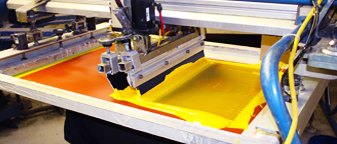
- Vector artwork required (we'll vectorize if needed)
- Separate color layers — max 6 spot colors
- Include Pantone (PMS) color numbers
- Avoid gradients and photo-quality imagery
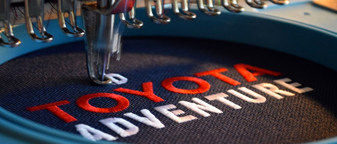
Embroidery
- Vector or high-res image (we create the stitch file)
- Simple, bold designs reproduce best
- Specify thread colors or we'll match to logo
- Fine details under 0.25" may not translate well
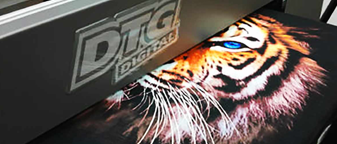
DTG / Digital Print
- High-res PNG at 300 DPI with transparent background
- Full-color photos and gradients welcome
- CMYK color mode preferred
- Avoid extremely thin lines (under 0.5pt)
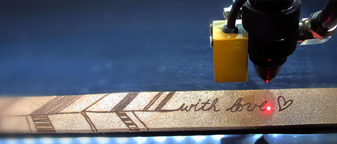
Laser Engraving
- Vector artwork strongly preferred
- Single color only (engraved vs. surface)
- High contrast designs with solid fills
- No gradients, halftones, or color
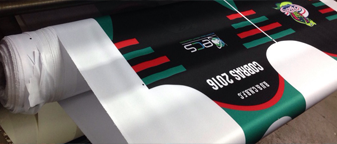
Sublimation
- 300 DPI minimum at full print size
- CMYK color mode for accurate color
- Full bleed / edge-to-edge designs supported
- White areas print transparent (substrate shows through)
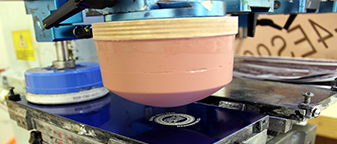
Pad Printing
- Vector artwork required
- Max 4 spot colors, each on a separate layer
- Include Pantone (PMS) numbers
- Small imprint area — keep designs simple
Need details on a specific method? See our full Imprint Methods guide.
The Process
From your file to finished product
Upload Your Artwork
Upload your logo during checkout or email it to us. Any format works — we'll let you know if we need anything else.
We Prepare Your Art
Our design team reviews your file, vectorizes if needed, sets up proper color separations, and creates a production-ready version optimized for your chosen imprint method.
Approve Your Proof
You'll receive a digital proof showing exactly how your logo will look on the product — colors, size, and placement. Request changes or approve to start production.
Production Begins
Once you approve, your order goes to production. We'll send you real-time photos of your products being decorated so you can see the quality firsthand.
Tips
Common artwork mistakes to avoid
Pulling your logo from a website
Website images are typically 72 DPI — far too low for print. If a website is your only source, send it to us and we'll vectorize it for free. Check with your marketing team or graphic designer for the original file.
White background instead of transparent
A white box around your logo will print as a white box on colored products. Save as PNG with a transparent background, or send a vector file (AI/EPS/SVG) which is transparent by default.
Too many colors for the imprint method
Screen printing and pad printing charge per color. A 6-color logo on screen print costs more than 2 colors. Consider a simplified version of your logo for spot-color methods, or use DTG/digital print for unlimited colors at a flat rate.
Extremely fine details or small text
Thin lines, small text (under 6pt), and intricate details may not reproduce clearly, especially with embroidery or screen printing. Our team will flag anything that might not translate and suggest adjustments.
Don't have artwork yet? No problem.
Our design team can work with almost anything — a sketch, a business card, or just an idea. Send us what you have and we'll create production-ready artwork for free.

