
















Logo Live Preview
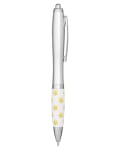
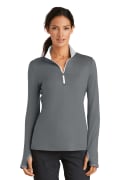
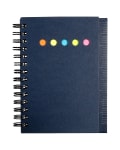
Drop your logo in once. Every product card across the site instantly shows your mark on the imprint zone — no proof request, no waiting.
Try It Now →One Upload
Set it once, see it everywhere
Instant Render
Live across the whole catalog
Carries to PDFs
Same logo into your catalog exports
Real-Time Mockup
Your logo, on every product, instantly
Click the floating My Logo button, drop in a PNG or SVG, and we project it onto the calibrated imprint zone for every product in real time. No emails, no proof request, no design ticket.
Each product image is paired with an imprint zone — coordinates that say "a 4″ logo would sit here, this big." We use those coordinates to scale and position your mark on the live page.
Want to compare two logos? Swap files and the whole grid re-renders.
Transparent PNG works best. SVG is even better. Both scale crisply down to a 0.5″ thumbnail.
How Logo Live works
A few clicks. The whole store rebrands.
Open the logo picker
Use the floating My Logo button (bottom-right) or pick one from your saved brand kit.
Drop in your mark
Upload a PNG, SVG, or JPG. Transparent backgrounds make for the cleanest preview.
Watch the grid re-render
Every product card pulls in your logo at the right size, position, and angle — instantly.
Save what you love
Add cards to a catalog and the branded preview is locked in — same logo carries into your PDF export.
Tips for the cleanest preview
Use a transparent background
PNG with alpha channel or SVG keeps the logo edges sharp against any product color.
Square or wide marks both work
We scale to fit the imprint zone, preserving your aspect ratio.
Light marks on dark products
Have a white-fill variant? Swap to it when you're previewing on dark colors for max readability.
SVG = infinite zoom
If you have your logo as a vector, use it. Crisp at every size from a thumbnail to a tote bag.
See your brand on the whole catalog
No mockup fee, no proof ticket. Just upload and look.
Try Logo Live
